

OliveCode

AI coding agents. Free models. Your terminal.
curl -fsSL https://olivecode.dev/install | shPreview. Installer not published yet.

Describe it. Build it in your terminal.
Agents that read your project, edit files and run checks.
Connect a free cloud account or choose a local model. Then tell OliveCode what to build or fix.
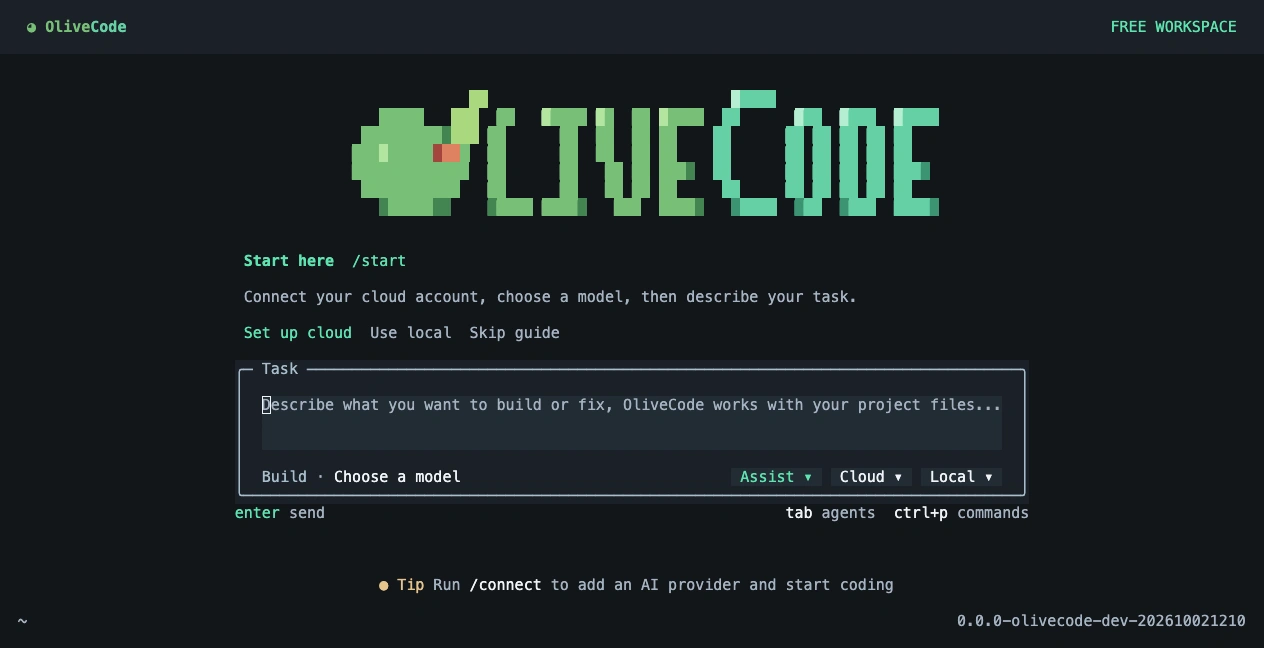
Add a sign-in page that matches this project.- Code in your project.
- Describe the change. Agents explore your files and use tools to make it happen.
- More than one perspective.
- Assist adds planning, a second opinion and follow-through reviews. Turn it on or off beside your prompt.
- Stay in control.
- See the result first. Expand the commands and work details, or switch between cloud and local models.
OliveCode, beyond your terminal
Out for a walk.
Still making progress.
Send a task from Telegram.
Your computer takes it from there.
Work on your project, use websites, or control Mac apps. Review approvals and get the result back on your phone.
Connect your phoneYour computer stays on, awake and connected, with OliveCode Remote running.
Hello from OliveCode
Text verified · left unsaved
Watch it work. Or keep working.
Choose how OliveCode uses your computer.
Watch the pointer move smoothly and short text appear as it types. Visible Mac control shares your mouse and keyboard.
Your account. Your approval. Only your paired private Telegram account can send tasks. Allow once or for 90 minutes in the current project and mode. Screen captures still ask separately.
/stop ends the task. /lock cancels timed approval. Read the guide ↗

No OliveCode credits
to run out of.
Free models. Automatic switching. More room to build.
When a cloud model hits its limit, OliveCode tries the next ranked free model from your connected providers.
- Recommended
free model - Provider
hits a limit - Next available
free model
Run downloaded models on your own computer. Your hardware sets the pace.
Build more. Spend less.
No OliveCode subscription. No credit packs.
Unlimited use of OliveCode, with no usage cap of our own. Cloud provider limits still apply.


12 months at selected monthly plan prices in USD, before tax—not annual billing discounts. GitHub and Cursor also offer free tiers. Plans differ in models, features and limits; this compares subscription prices, not performance. Cursor Plus includes Grok models; other-model usage is not included.
Checked 15 October 2026 · GitHub pricing · Cursor pricing · Claude pricing